If you use Family Tree Maker to keep track of your family history, you may also have a family tree on Ancestry. That often leads to a simple question: can the two be used together?
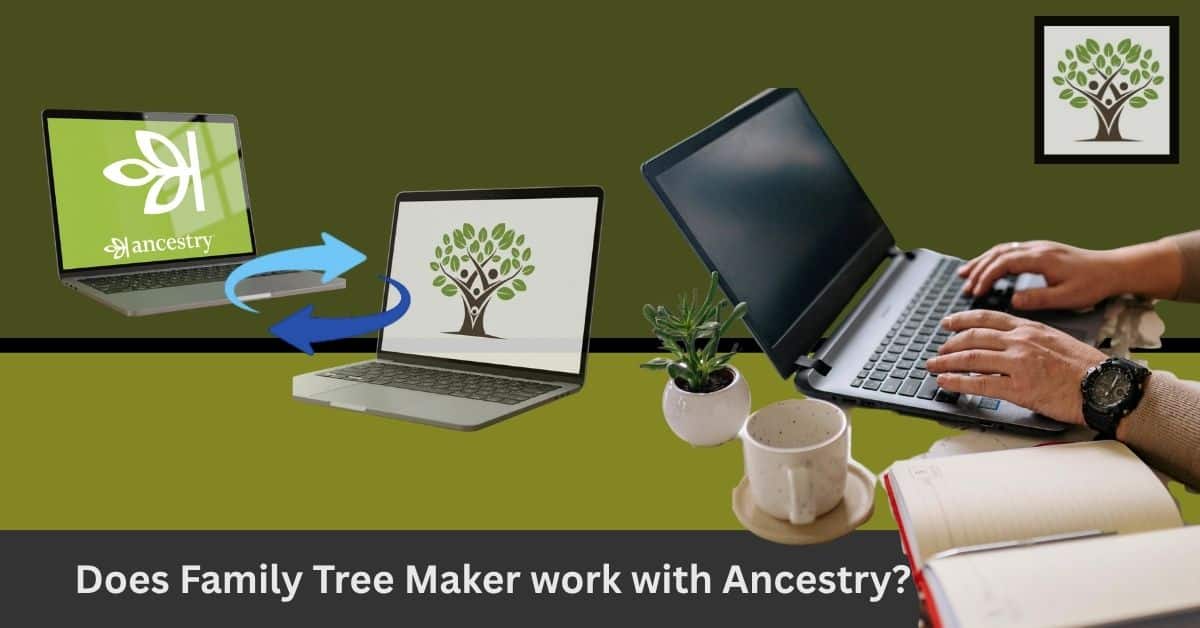
Yes, Family Tree Maker works with Ancestry, and the supported versions can sync your family tree with Ancestry. This implies you can work on your family history in FTM while using Ancestry for genealogy research.
How Does Family Tree Maker Work With Ancestry?
Family Tree Maker is desktop genealogy software. Your family tree is stored and managed on your computer, where you can add people, records, photographs, notes, sources, and other details.
In Ancestry, your tree is stored online, and you can use it while researching records on the Ancestry website.
Family Tree Maker can connect the two.
Once your trees are linked, you can sync your family tree with Ancestry. Changes made to the linked trees can then be transferred between them.
For example, imagine that you discover a new marriage record while researching Ancestry. You add the information to your Ancestry tree. When you sync the trees, Family Tree Maker makes the relevant change.
You can also work in FTM first and then sync the changes back to Ancestry.
That is the main reason many long-time genealogists continue to use both.
Can You Sync Your Family Tree With Ancestry?
Yes, provided you are using a version of Family Tree Maker that supports Ancestry services.
The process is known as FamilySync. It connects a tree in Family Tree Maker with its corresponding tree on Ancestry.
You don’t have to upload the entire tree every time you make a small change. Instead, the software compares the linked trees and identifies changes that need to be synchronized.
This can be especially helpful when your tree has been growing for years.
Before you start a sync, however, it is sensible to backup your FTM file.
How Do I Connect Family Tree Maker to Ancestry?
If you already have a Family Tree Maker tree, connecting it to Ancestry is quite easy.
Open your tree in Family Tree Maker and look for the option to connect or upload it to Ancestry. You will be asked to sign in to your Ancestry account.
After signing in, Family Tree Maker can establish the connection between the two trees.
If your family tree is already on Ancestry, you can also bring that tree into Family Tree Maker and establish the connection from there.
The exact screens can vary slightly depending on the FTM version you are using, so don’t worry if your screen does not look exactly like an older tutorial you found online.
What If My Family Tree Is Already in Ancestry?
If your family tree is already on Ancestry, you can download it into a supported version of Family Tree Maker. Once your tree is in FTM, you can connect it to the Ancestry tree.
This is useful if you have spent years building your tree on Ancestry but now want a copy on your computer.
There is another reason to keep a local copy. Your genealogy research can contain years of work, and having a backup of that work is never a bad idea.
Does Family Tree Maker Copy Everything From Ancestry?
This is where it helps to understand what synchronization actually means. Family Tree Maker and Ancestry are connected, but they are still two separate programs. A sync does not mean that every part of Ancestry is simply copied into FTM.
Your family tree information can be synchronized, while Ancestry’s website, subscription records, hints, and other online features remain part of Ancestry.
It is also worth checking changes before accepting them, particularly when you have a large tree. Genealogy is full of similar names, duplicate people, and records that may refer to different members of the same family.
A suggested record is not automatically proof that it belongs to your ancestor.
Is There a Free Family Tree Maker for Ancestry?
Ancestry lets you create a family tree online without buying Family Tree Maker. So if you just want to start a basic tree on Ancestry, you don’t need to buy FTM.
Family Tree Maker is separate desktop software. It is designed for people who want to manage their genealogy on a computer and use additional tools for organizing, viewing, printing, and working with their family tree.
So, when someone searches for a free family tree maker for Ancestry, they may actually be looking for one of two things:
- A free way to create a family tree on Ancestry
- Free genealogy software that can connect to Ancestry
What is the cost of Ancestry Family Tree Maker?
There isn’t really one combined Ancestry Family Tree Maker cost. Family Tree Maker and Ancestry are separate products and must be purchased separately. You can create a family tree on Ancestry without purchasing Family Tree Maker. However, some of Ancestry’s records and research features require an Ancestry membership.
Family Tree Maker itself is paid desktop software. Its price can change based on the edition, upgrades, special offers, and the type of purchase.
If you are checking the Ancestry Family Tree Maker cost, it is therefore better to look at the current price of each service rather than assuming they come as one package.
Which Family Tree Maker Versions Work With Ancestry?
This is particularly important if you have an old copy of FTM sitting on your computer. Older versions of Family Tree Maker do not necessarily have the same connection to Ancestry that newer editions do.
According to current information from Software MacKiev, FTM 2017, FTM 2019, and FTM 2024 support syncing with an online Ancestry tree.
If you have an older edition, check its compatibility before trying to connect it. You may find that an upgrade is necessary.
Do I Need Ancestry to Use a Family Tree Maker?
You can use FTM to create and maintain a family tree on your computer without having an Ancestry subscription. However, Ancestry can be very useful if you want to research historical records, look for hints, or maintain an online version of your tree.
This is why many people use the two together.
Think of FTM as the place where you manage your genealogy project and Ancestry as one of the places where you do your research.
What If a Family Tree Maker Is Not Syncing With Ancestry?
Don’t immediately assume that something is wrong with your family tree. There are several things worth checking first.
Make sure you are using a supported FTM version and that you are signed in to the correct Ancestry account. Also check your internet connection and make sure your software is up to date.
If the problem continues, it can help to look at the sync status inside Family Tree Maker and check whether the correct Ancestry tree is linked.
And before trying anything that could alter your tree, make a backup.
If you cannot sign in to your Ancestry account, the problem may be with your Ancestry account rather than Family Tree Maker. In that situation, Ancestry’s support team is the better place to start.
For problems with the Family Tree Maker software itself, experts at Family Tree Makers Support can help you troubleshoot the issue.
Family Tree Maker or Ancestry: Do You Need Both?
If you only want an online family tree and access to Ancestry’s research tools, you may be perfectly happy using Ancestry on its own. If you prefer keeping your genealogy on your computer, Family Tree Maker gives you another option.
For people who have been researching their family for many years, using both can make sense. You can keep your main genealogy work in FTM, use Ancestry when looking for records, and sync the two when needed.
It also means that your family tree isn’t dependent on having everything in one place.
Final Thoughts
Yes, Family Tree Maker works with Ancestry. If you already use Ancestry, you don’t have to abandon your online tree to start using Family Tree Maker. With a supported version, you can connect the two and sync your family tree with Ancestry as you continue your research.
For someone with years of family history work, that can be a great combination: a local copy of the genealogy project in Family Tree Maker and access to Ancestry’s online research tools when you need them.
Frequently Asked Question
1. Can Family Tree Maker still connect to Ancestry?
Answer: Yes, supported versions of Family Tree Maker can connect to Ancestry and sync a linked family tree.
2. Can I download my Ancestry tree into Family Tree Maker?
Answer: Yes, you can download a supported Ancestry tree into Family Tree Maker and then connect the two trees.
3. Can I use Family Tree Maker without Ancestry?
Answer: Yes. FTM can be used as standalone genealogy software. Ancestry is not required to create and manage a family tree in Family Tree Maker.
4. Is there a free Family Tree Maker for Ancestry?
Answer: Ancestry allows you to create a family tree online for free. Family Tree Maker itself is paid desktop software, so these are two different options.
5. What should I do before syncing my tree?
Answer: Make a backup of your Family Tree Maker file. It is a simple step, but it can save a lot of frustration if you later need to undo something.